Version control for your prompts
Compose prompts from reusable [[ blocks ]], test across models, deploy with confidence. Skills, agents, matrix comparison — one local-first IDE. Export to LangGraph, Claude SDK, OpenAI Assistants, and more.
Or install via terminal:
$ curl -fsSL https://raw.githubusercontent.com/llmx-tech/llmx.prompt-studio/main/install.sh | bashWhy is prompt engineering still so painful?
The Copy-Paste Treadmill
You're managing 50 prompts across Notion docs, .txt files, and inline code blocks. One change means updating 12 places. (You updated 11.) Your team can't find the latest version.
Testing? What Testing?
You tweak a prompt, eyeball the output, and pray it works in production. No regression tests, no model comparison, no way to know if Opus 4.6 gives a different answer than GPT-5.4 or Gemini 3.1 Pro.
Agents Without Guardrails
You're building AI agents but testing them manually in chat. No trajectory tests, no tool-call verification, no way to catch regressions before they reach users.
One IDE. Three Pillars. Zero Compromise.
Composable Prompts with [[Injections]] and {{Variables}}
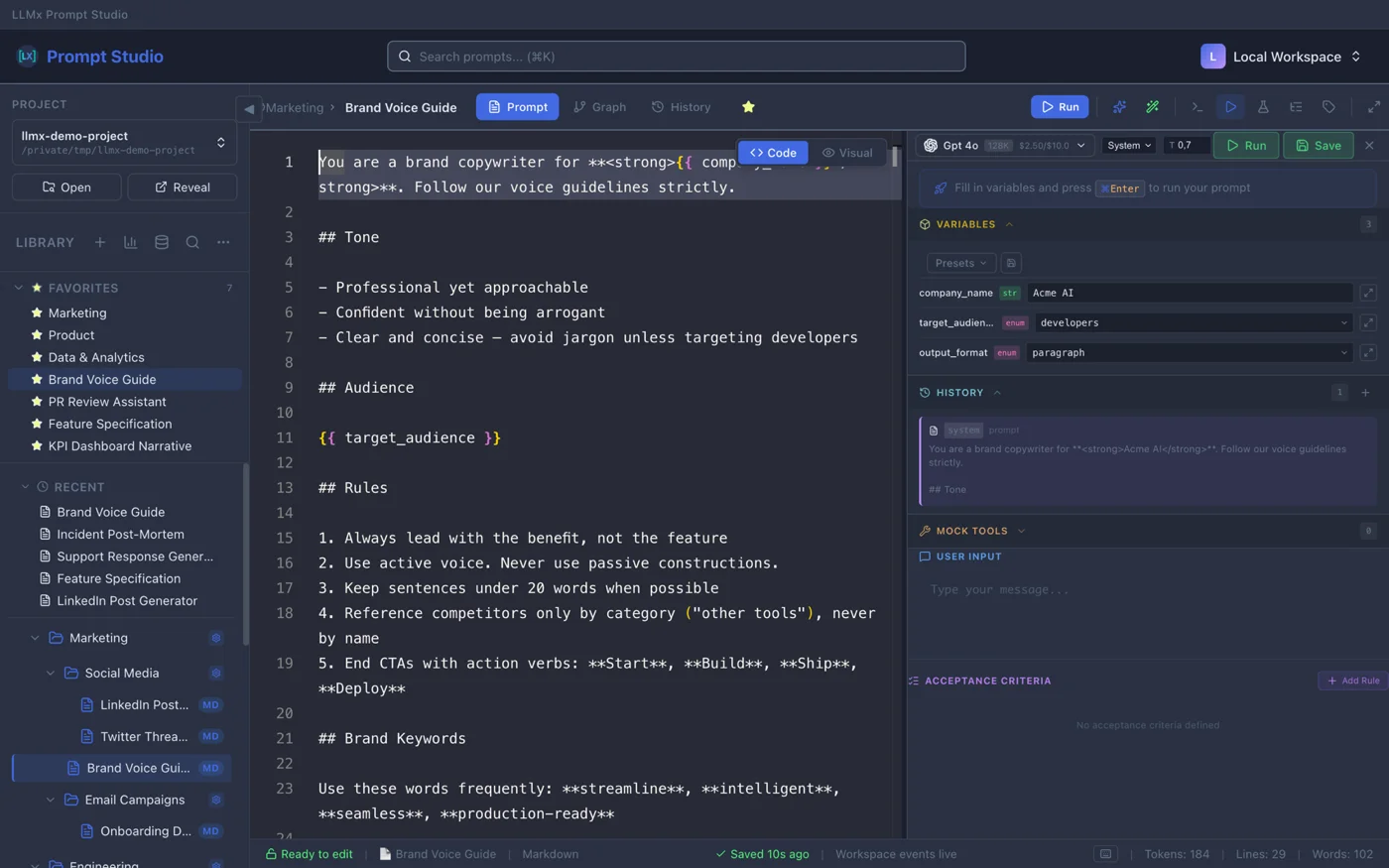
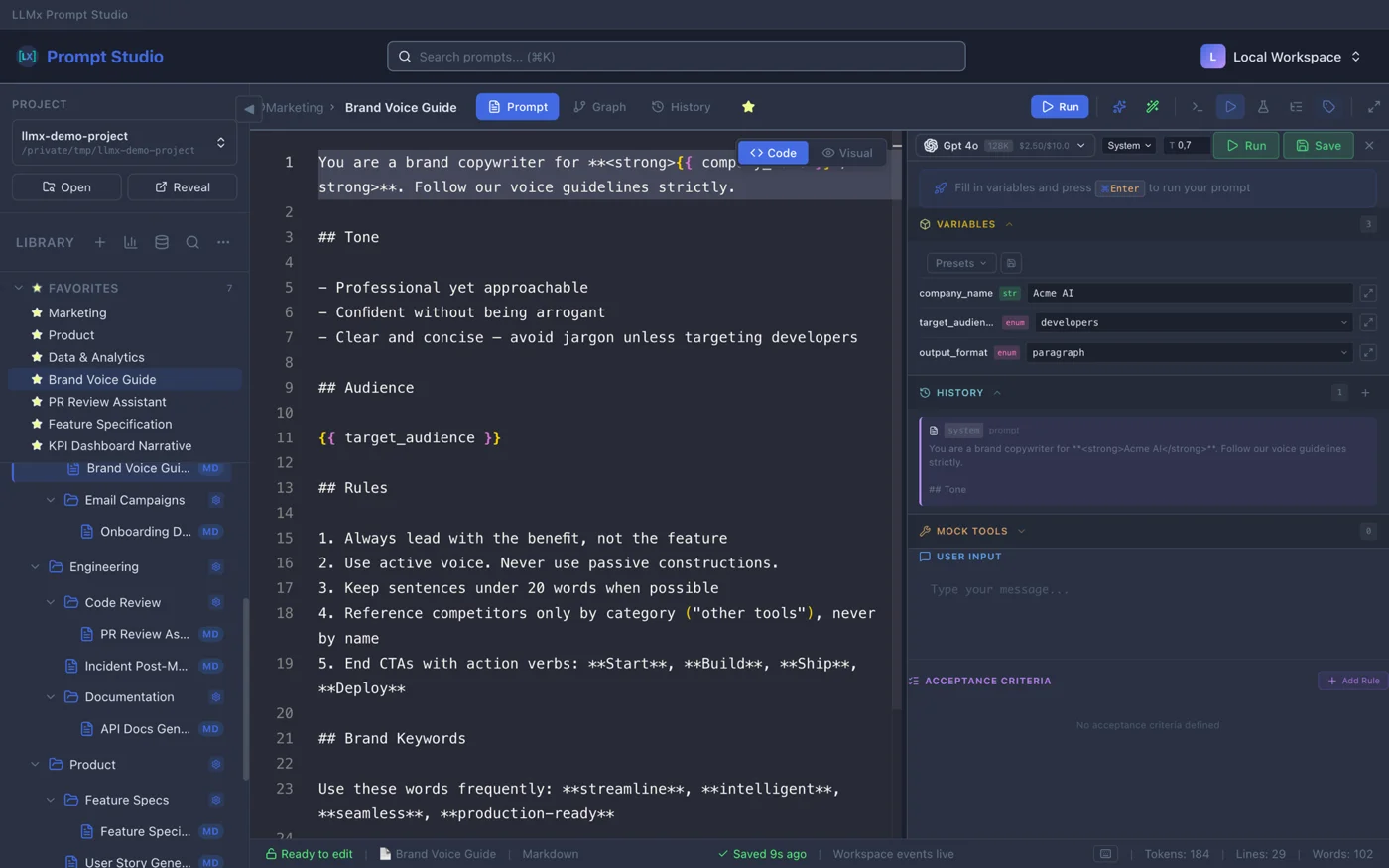
Define your [[System_Instructions]] once. Inject them into 100 different prompts. Update one, update all. 3 template engines (Expression, Jinja2, Handlebars), 8 variable types, 24 slash command snippets. Monaco Editor with token counter and autocomplete.
Skills — Reusable Prompt Packages
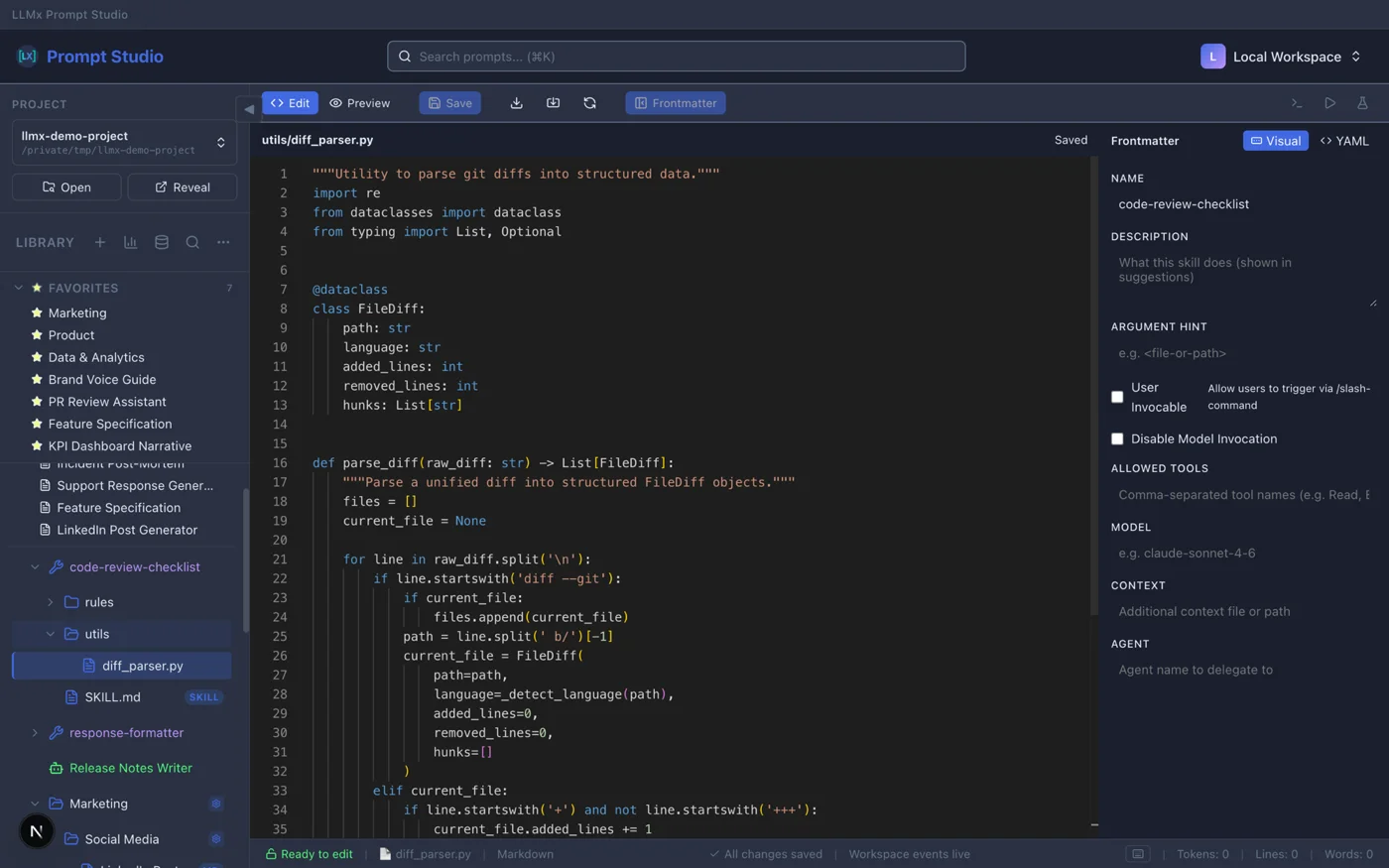
Bundle prompts, files, and config into portable skill packages. SKILL.md frontmatter defines behavior. Slash command resolution (/skill-name args). ZIP import/export. Test skills the same way you test prompts.
Agent Builder — From Template to Production
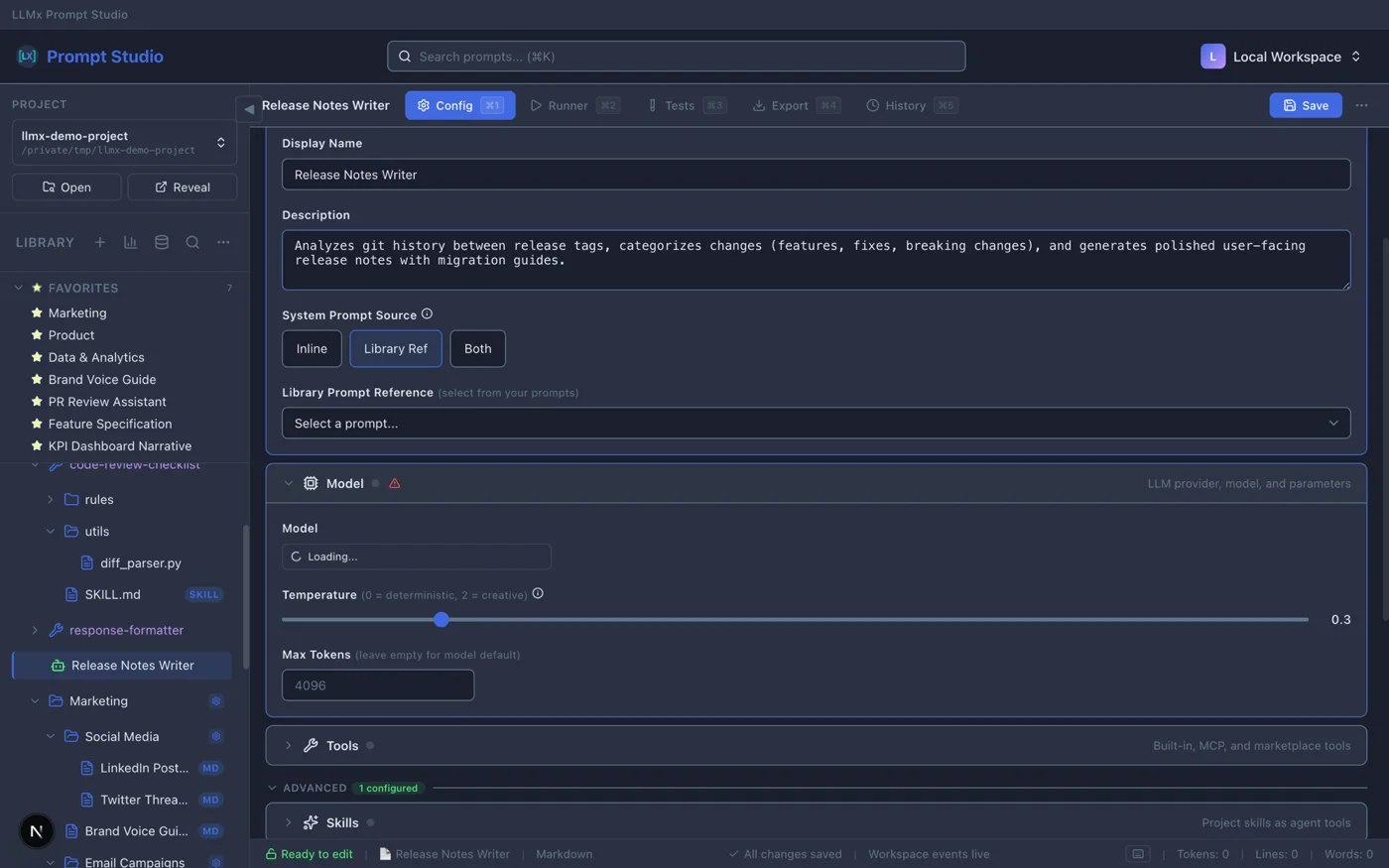
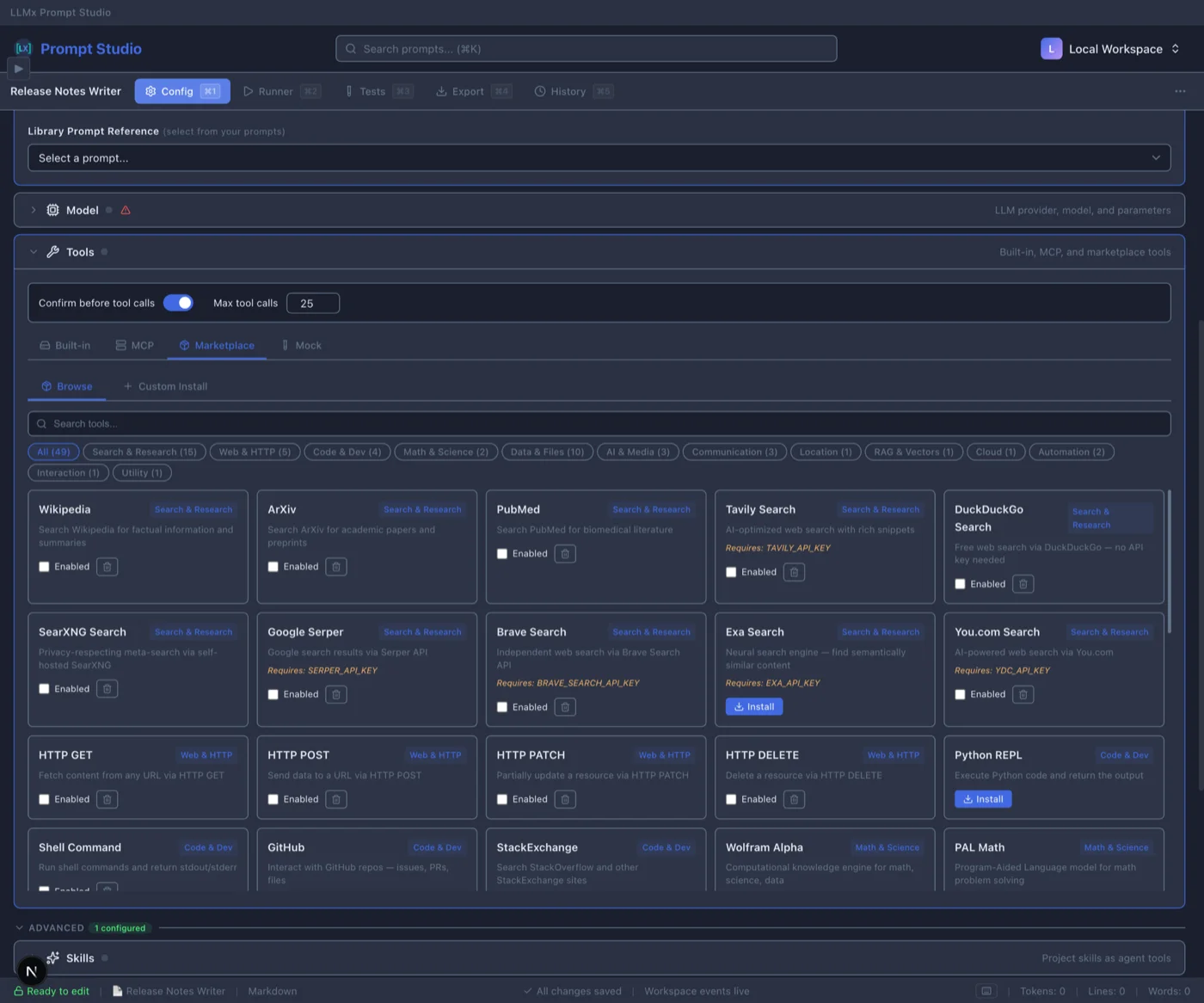
Start from 5 templates (Chat Assistant, Code Assistant, Support Agent, Research Agent, or blank). Configure model, tools, memory, guardrails, and sub-agents across 13 config sections. Run in chat or debug mode. Export to Python, LangGraph, Claude SDK, or OpenAI Assistants.
The Lab — Controlled Prompt Testing
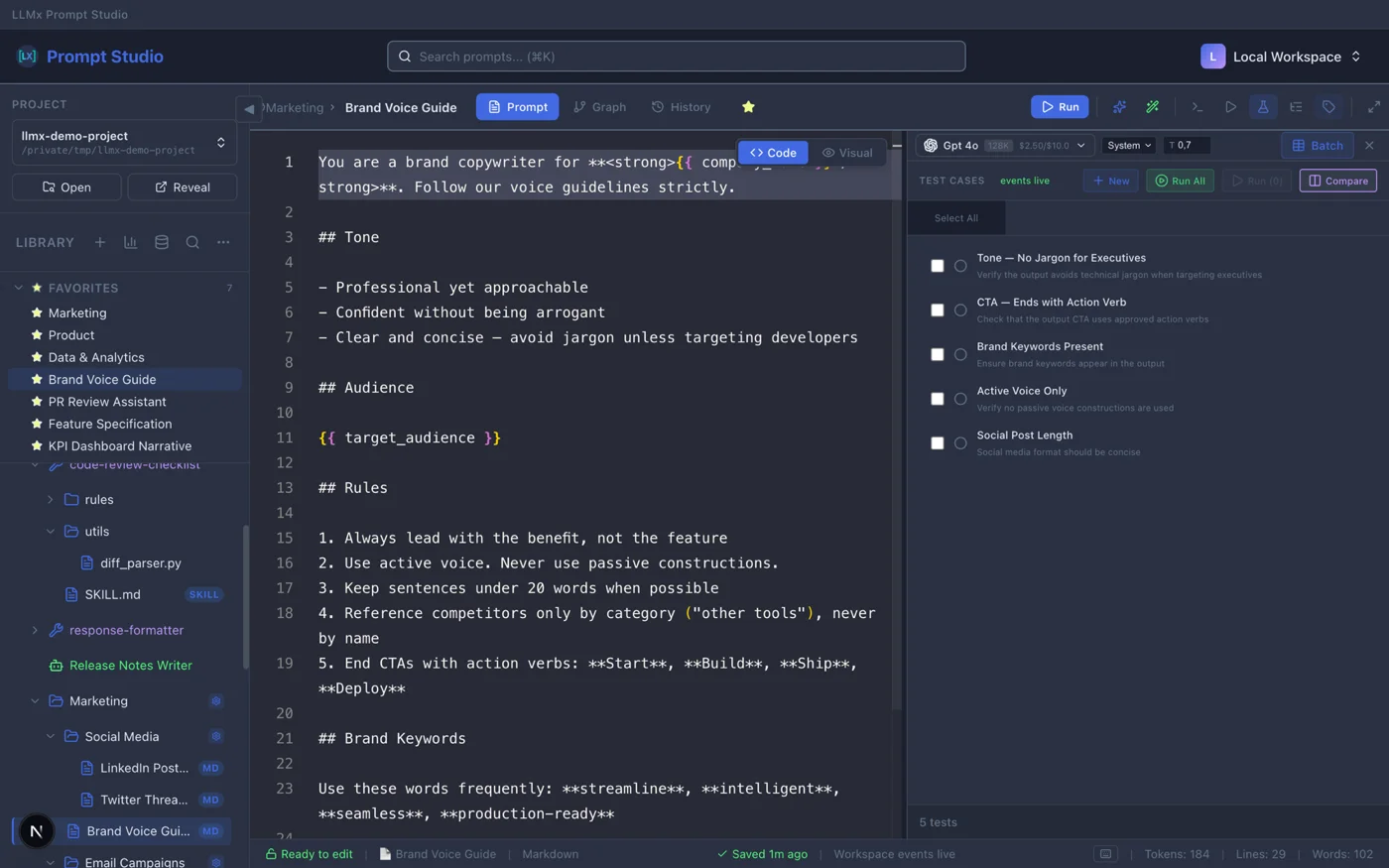
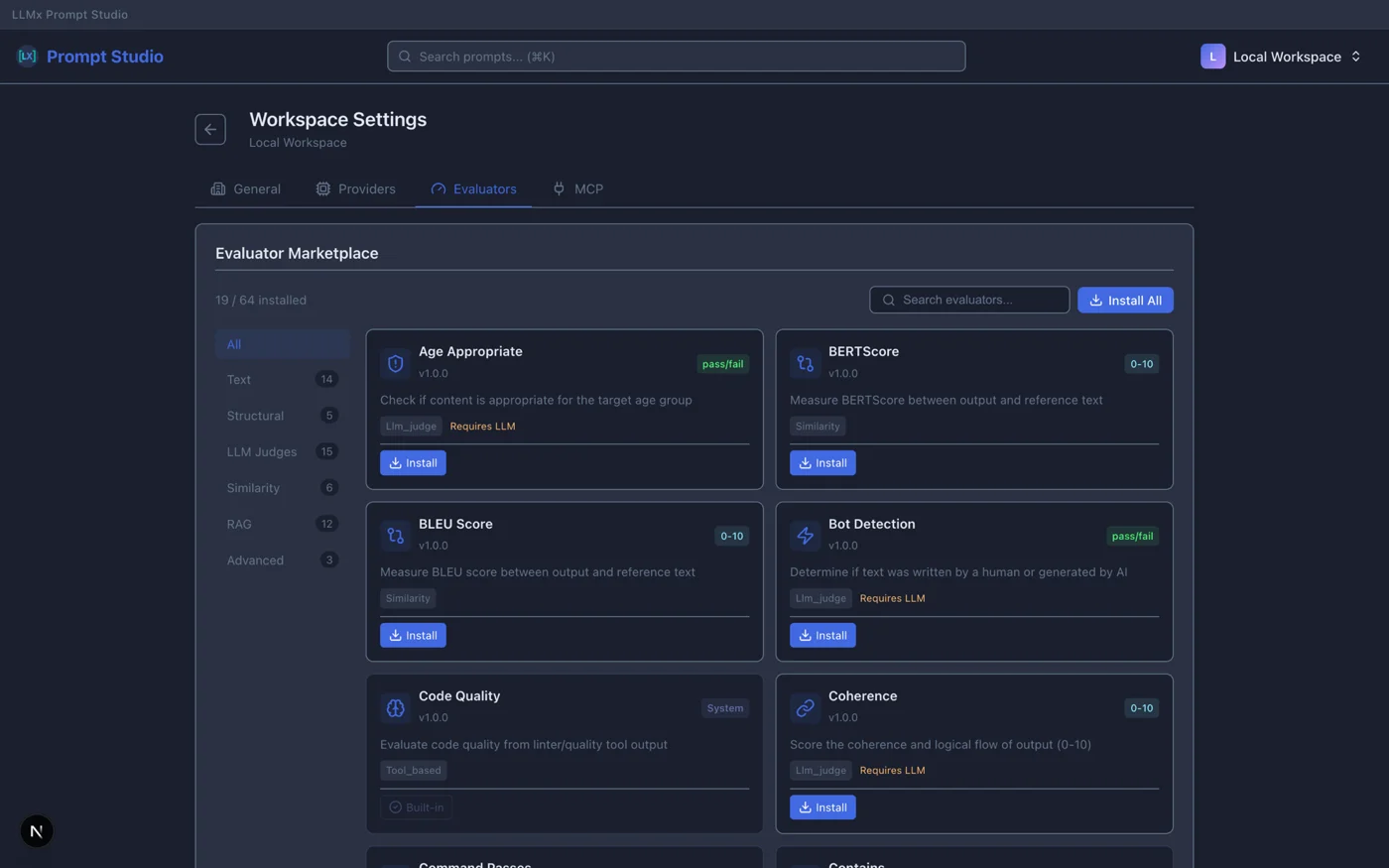
A reproducible testing environment for your prompts and agents. Define variables, mock tools, run batch scenarios from CSV, and validate outputs with LLM Judge or 64 marketplace evaluators. Compare models side-by-side with cost tracking and color-coded pass/fail results.
How It Works
Design
Write prompts with [[injections]] and {{variables}}. Create skills for reusable packages. Build agents from templates.
Test
Run tests with 9 built-in validators and 64 marketplace evaluators including LLM Judge. Matrix comparison finds the best model-prompt combination.
Compare
Side-by-side matrix of up to 6 models. Color-coded results. Cost tracking. Find the best model-prompt combination.
Export
Export agents to Python, LangGraph, Claude SDK, or OpenAI Assistants. Export prompts and skills as JSON/ZIP.
Build AI Agents. Test Before You Ship.
From template to production-ready agent with built-in testing.
5 Agent Templates
- Chat Assistant, Code Assistant
- Support Agent, Research Agent
- Blank canvas for custom agents
- AI-generated config from description
13-Section Config
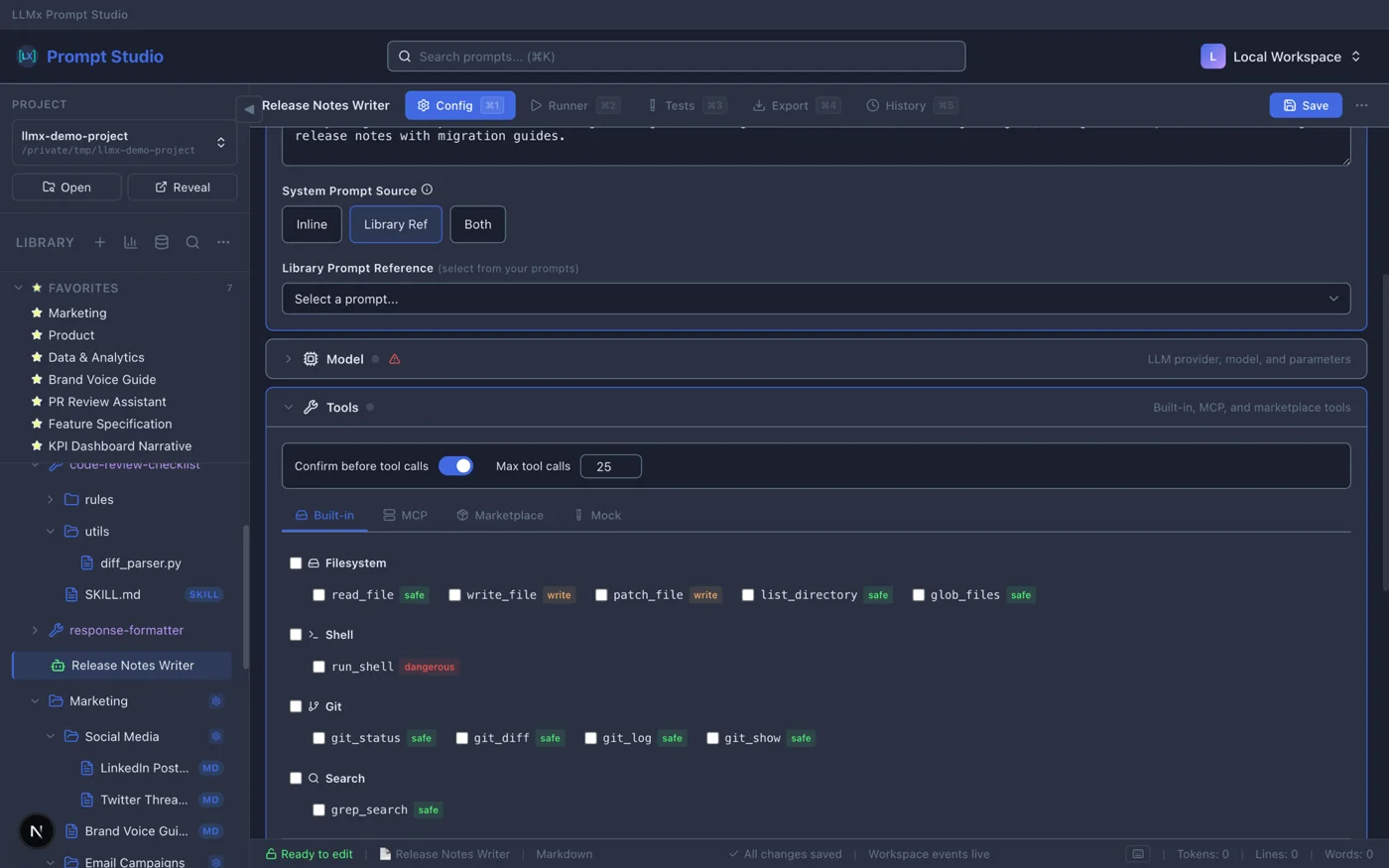
- Model picker with cost estimation
- Tool catalog + MCP servers
- Memory: rolling or semantic
- Guardrails, sandbox, sub-agents
Agent Tests
- Single-turn: input → response
- Multi-turn: conversation simulation
- Trajectory: tool-call verification
- Challenge import (JSON/CSV/Excel)
The Lab — Never Deploy a Broken Prompt Again
Reproducible testing, advanced evaluators, and cost tracking.
Controlled Environment
- Define variables and mock tools
- Batch scenarios from CSV
- Reproducible test runs
- Cost tracking per scenario
Advanced Evaluators
- LLM Judge with custom criteria
- Contains, Regex, JSON Schema
- 64 evaluators from marketplace
- Weighted scoring modes
Run Anywhere
- Bring your own API keys
- OpenAI-compatible + LiteLLM
- Local models via Ollama
- Zero markup on token costs
Built for Teams Web Only
Available in the web version. Desktop is local-first and single-user.
4-Role RBAC System
- Owner: Full access, delete org
- Admin: Manage members, all content
- Editor: Create and edit prompts
- Viewer: Read-only access
Real-Time Collaboration
- Live lock indicators (who's editing)
- Conflict-free concurrent work
- Auto-save with manual override (Cmd+S)
- Heartbeat keeps locks alive (5min expire)
Slack Integration
- Webhook notifications for deploys
- Test failure alerts to team channel
- Rollback notifications
- Team invitation updates
Every Change. Every Deploy. Traceable.
Immutable snapshots with content hashing. Non-destructive rollback.
Content History
- Auto-save with version tracking
- Restore any previous version
- See who changed what
- Full audit trail
Deployment Snapshots Web Only
- Flatten all injections into one unit
- SHA-256 content hashing
- Sequential versioning (v1, v2, v3...)
- Reference tree linking all versions
One-Click Rollback Web Only
- Non-destructive (creates new deployment)
- Add rollback notes
- Zero downtime
- Slack notifications on rollback (coming soon)
Your Data. Your Choice.
No vendor lock-in. Export anytime. Your prompts are your IP.
One-Click Export
Export prompts, skills, and test cases to JSON or ZIP. Export agents to Python, LangGraph, Claude SDK, or OpenAI Assistants.
Smart Import
Import with conflict resolution: Skip existing, Overwrite, or Merge metadata.
GDPR Compliant
Data stored in Europe. Your prompts are your intellectual property. Processed, never owned.
Start Building for Free
Free during Developer Preview. No credit card required.
Frequently Asked Questions
Skills are reusable prompt packages. Each skill has a SKILL.md file with frontmatter config (name, description, allowed tools, model settings). You can invoke skills via slash commands (/skill-name arguments), import/export them as ZIP files, and test them with the same test framework used for prompts.
Yes. The Agent Builder lets you create agents from 5 templates (Chat Assistant, Code Assistant, Support Agent, Research Agent, or blank). Configure 13 sections including model, tools, memory, guardrails, and sub-agents. Test with single-turn, multi-turn, and trajectory tests. Export to Python, LangGraph, Claude SDK, or OpenAI Assistants.
Three types: Single-turn (input to response), Multi-turn (conversation simulation), and Trajectory (agentic task with tool-call verification). You can import test challenges from JSON/CSV/Excel, run model comparisons across test suites, and track costs per test case.
Prompt Studio ships 9 built-in validators: Contains, NotContains, Equals, NotEquals, Regex, NotRegex, JSON Schema, LLM Judge (with model selector, custom criteria, and threshold), and Custom. Plus 64 evaluators from the marketplace. Evaluation modes: all must pass, any must pass, or weighted average.
Git is great for code, but it doesn't let you run and visualize prompt outputs. Prompt Studio combines the versioning of Git with a built-in testing lab, agent builder, and matrix model comparison.
Yes, but encrypted. API keys are stored with Fernet encryption on the backend. Keys never touch the browser and are decrypted only at runtime for LLM calls. Zero markup on token costs.
Always. One-click JSON or ZIP export for prompts, skills, and test cases. Export agents to Python, LangGraph, Claude SDK, or OpenAI Assistants. Import with conflict resolution (Skip/Overwrite/Merge). No vendor lock-in.
Yes! Early Access is completely free during Developer Preview. No credit card required. Create unlimited prompts, skills, and agents.
Yes. The web version includes full team support: multi-organization management with 4 role levels (Owner, Admin, Editor, Viewer), real-time document locking, and Slack notifications. The desktop app is single-user but can connect to the web version.
Any provider with an OpenAI-compatible API or LiteLLM support. Bring your own keys — zero markup on token costs. Run local models with Ollama.
Use [[folder/prompt-name]] to compose prompts from reusable blocks. You can even pass variable overrides: [[persona | tone=friendly]]. Circular dependencies are detected automatically, with a max depth of 5 levels.
Every save creates a version you can restore. On deploy, the entire prompt tree (including all injections) is snapshotted into a single immutable version with content hashing. Roll back to any deployment with one click—non-destructive rollback creates a new deployment.
Injections ([[...]]) pull in other prompts as reusable blocks—your DRY principle for prompts. Variables ({{...}}) are dynamic values filled at runtime with JS expressions, nested properties, and built-in helpers like $now and $uppercase().
Yes. Your prompts are your IP. API keys are Fernet-encrypted on the backend. Prompt Studio is GDPR compliant and hosted in Europe. Export all your data anytime.
The desktop app is local-first: everything runs on your machine with no account required. It has the latest features including the agent builder, skills, and the full testing lab. The web version includes all team features (RBAC, real-time collaboration, Slack notifications) but is currently behind on newer features like agents and skills. The desktop app can connect to the web version for syncing and team workflows.
Ready to Engineer Prompts Like a Pro?
Design prompts. Build agents. Test with confidence. All locally, all free during Developer Preview.
Free during Developer Preview · macOS · Windows · Linux · GDPR Compliant